
CINEMATIC COLOR GRADING WORKFLOW 2.0
3 PowerGrades • Sony S-Log3 Practice Footage • Guided Video Training
A structured, fully editable node-based workflow built in DaVinci Wide Gamut / Intermediate — with Clean Rec.709 and Kodak 2383 film-finish paths.
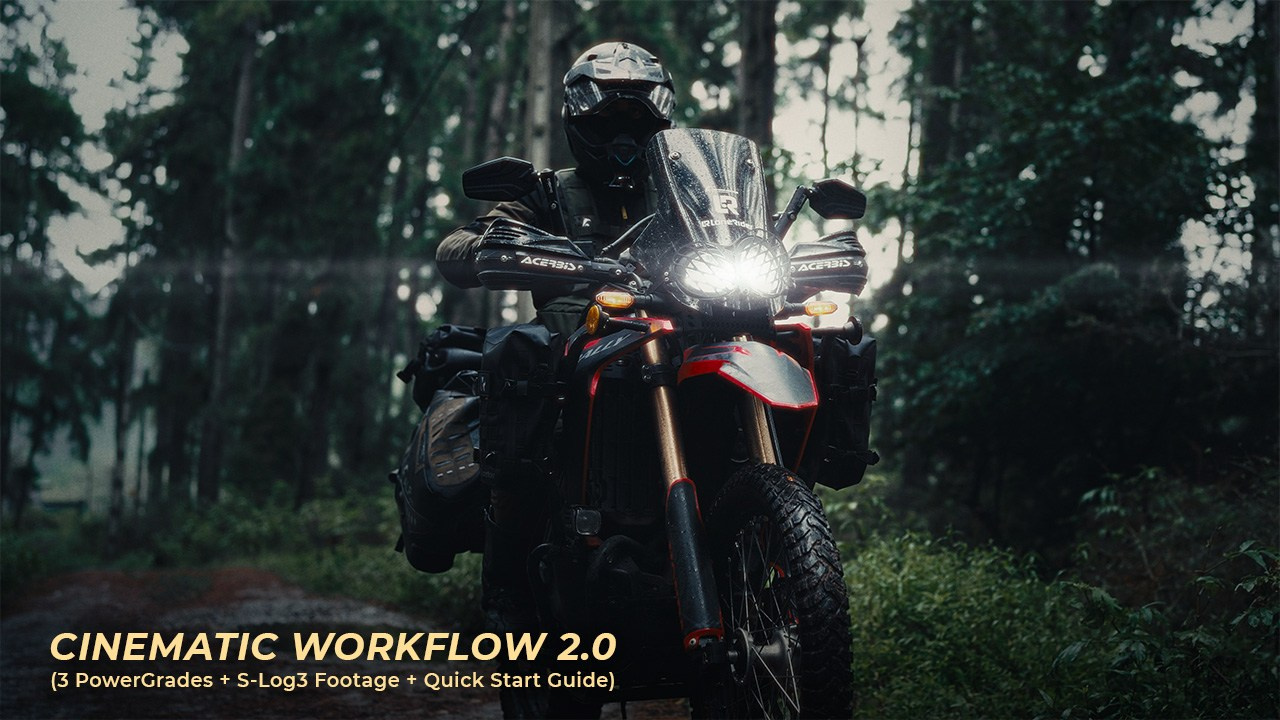
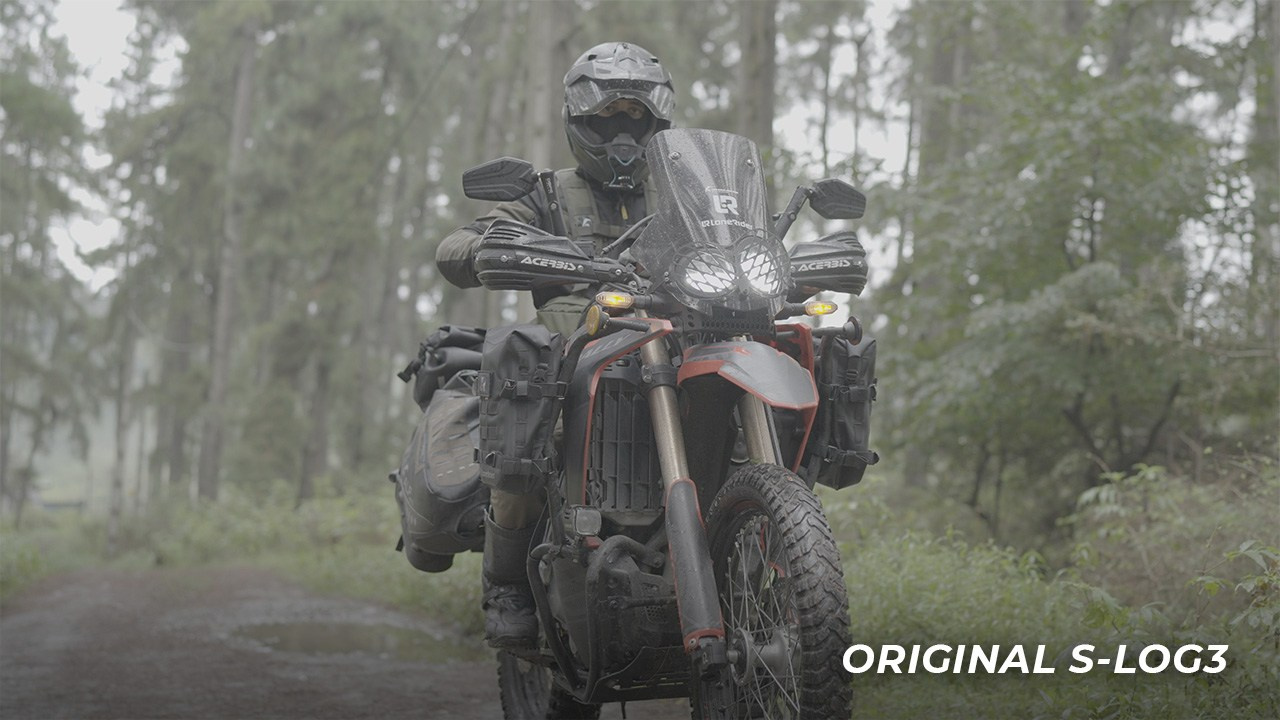
The workflow gives you the structure while the creative decisions stay in your hands.
SEE CCGW 2.0 IN ACTION
Preview the included PowerGrades, S-Log3 footage, and guided training in just 1 minute.
3 POWERGRADES • 4K50 10-BIT S-LOG3 • 8-MIN VIDEO TRAINING • FULLY EDITABLE NODE TREE

A COMPLETE DAVINCI RESOLVE COLOR GRADING WORKFLOW
CCGW 2.0 is a structured, fully editable PowerGrade system for cinematic color grading in DaVinci Resolve. Technical correction, color shaping, creative look development, local adjustments and film finishing each have a clear place in the workflow — giving you a repeatable starting point without locking you into a fixed look.
Built in DaVinci Wide Gamut / Intermediate, the workflow is preconfigured for Sony S-Log3 / S-Gamut3.Cine and can be adapted to other Log formats by changing the Input CST. Use the Clean Base for a neutral Rec.709 workflow, or the Kodak 2383 version for a Cineon-based film print finishing pipeline.
✨ What’s Included:
- CCGW 2.0 — Clean Base PowerGrade
- CCGW 2.0 — Kodak 2383 PowerGrade
- Moody Forest — Full Example Grade
- Sony A7 V 4K50 10-bit S-Log3 Practice Footage
- Final Graded Reference Clip
- 8-Min Quick Start Video Training
- Instant Access to Your Dedicated Digital Downloads Page
GET CCGW 2.0 — LAUNCH PRICE $29.99
Regular Price $34.99
Save $5 during launch!
🎨 Three purpose-built PowerGrades with different finishing options
🎞️ Kodak 2383 D65 film-print pipeline already configured
🌈 DaVinci Wide Gamut / Intermediate grading structure
🎬 Grade the exact included S-Log3 motorcycle footage yourself
🔎 Inspect the finished Moody Forest grade node by node
🔄 Adaptable to other Log formats through the Input CST
🧩 No third-party plugins required
💻 Designed and tested in DaVinci Resolve Studio 21
Start neutral. Shape intentionally. Finish your way.
CCGW 2.0 is designed as a repeatable grading structure you can adapt to the footage — not a baked-in creative look.

CINEMATIC S-LOG3 FOOTAGE FOR COLOR GRADING
Real Sony S-Log3 • 4K 10-bit • DaVinci Resolve
Trusted by 100K+ viewers on YouTube
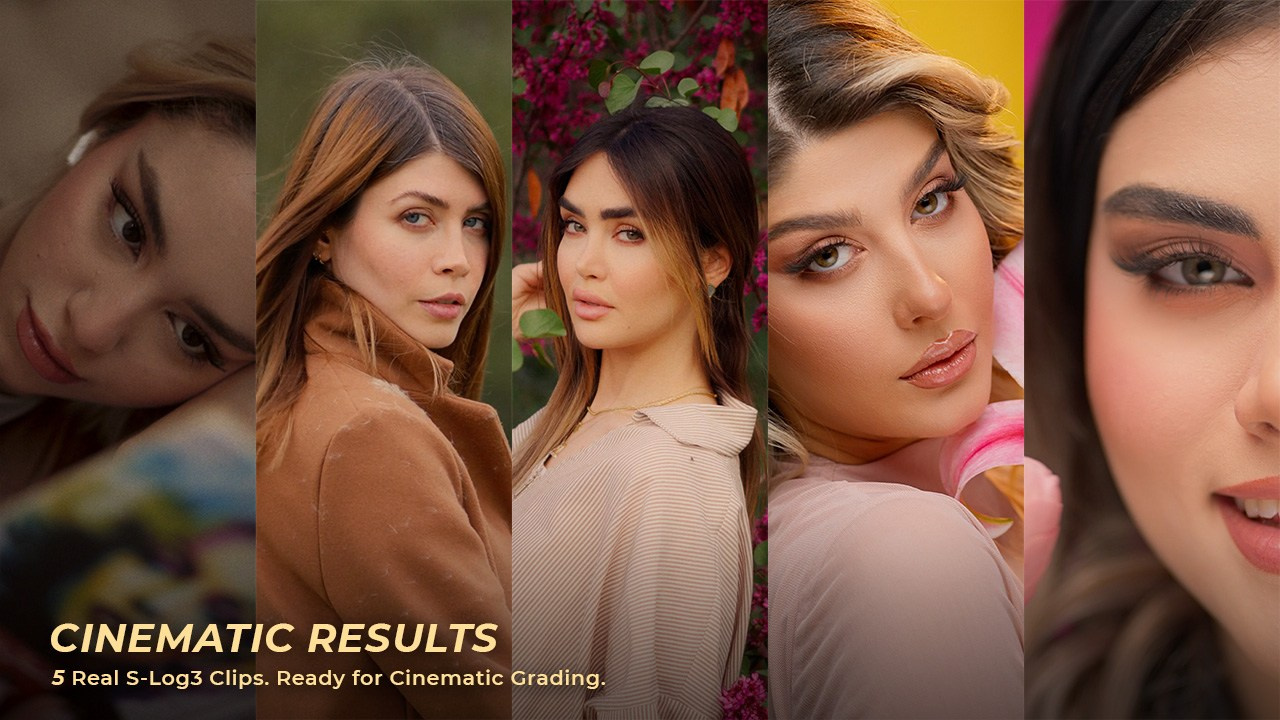
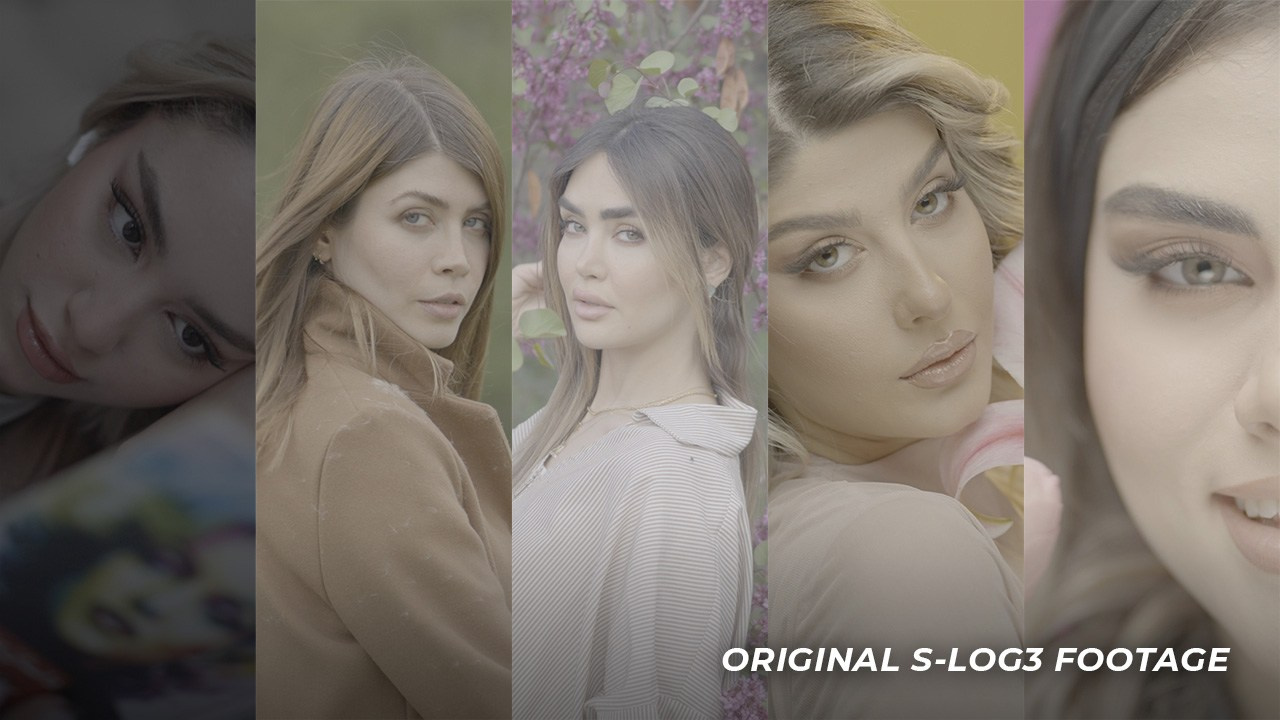
Cinematic S-Log3 Bundle — 5 Clips
All clips are delivered in S-Log3, preserving maximum dynamic range and color information — perfect for:
- Practicing cinematic color grading with real-world S-Log3 footage
- Learning DaVinci Resolve color grading workflows
- Testing LUTs, CSTs, PowerGrades and film-emulation workflows
- Practicing skin tone correction and cinematic color separation
- Matching footage across different lighting conditions
- Learning exposure control and highlight recovery
- Practicing cinematic contrast and tonal control
Get All 5 Cinematic Clips — ONLY $19.99
🎬 Used in my 100K+ view YouTube tutorials
👨🏫 Created by a filmmaker specializing in Sony S-Log3 workflows
🔥 BEST VALUE — Save 33% vs buying clips individually
Practice professional color grading with real Sony S-Log3 footage recorded in 4K 10-bit on the Sony A7 IV. This 5-clip cinematic footage bundle was created for filmmakers, colorists, editors, and content creators who want realistic material to practice DaVinci Resolve color grading, skin tone correction, exposure control, LUT testing, and cinematic look development — not generic stock footage.

CINEMATIC PORTRAIT COLOR GRADING WORKFLOW
Sony S-Log3 PowerGrade, Portrait Footage & Workflow Guide
Designed for Cinematic Portrait & Wedding Storytelling
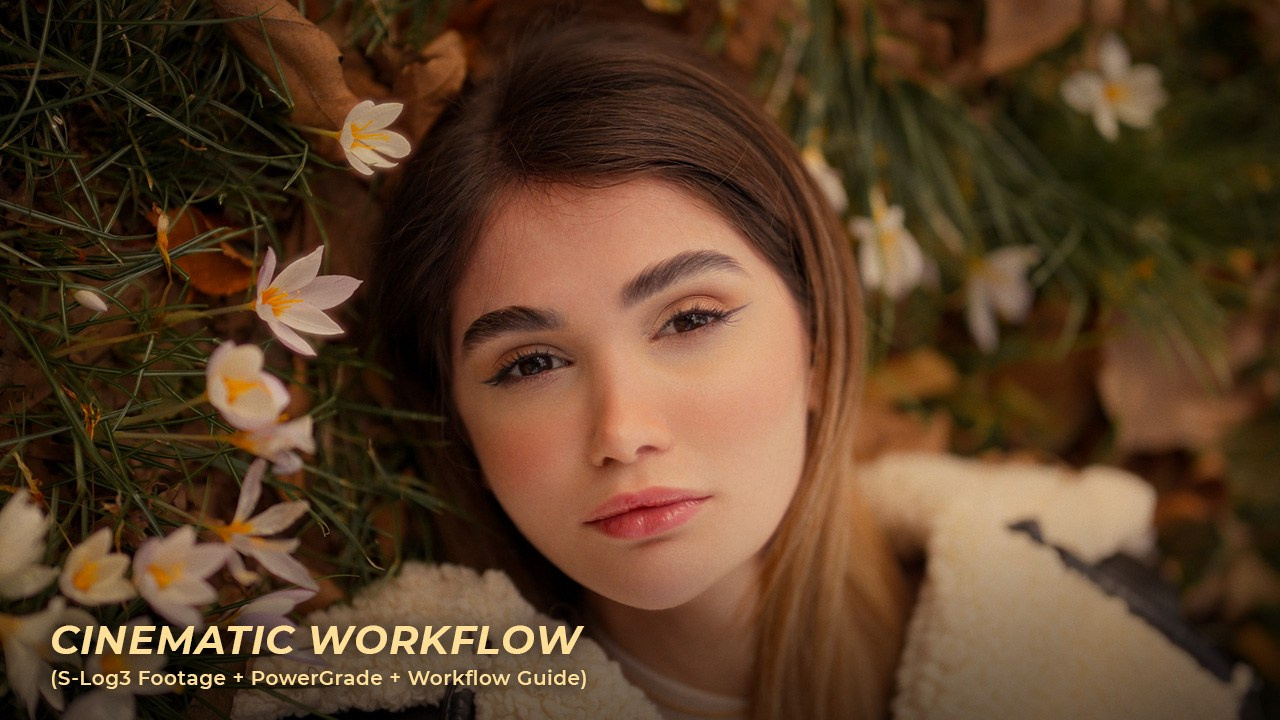
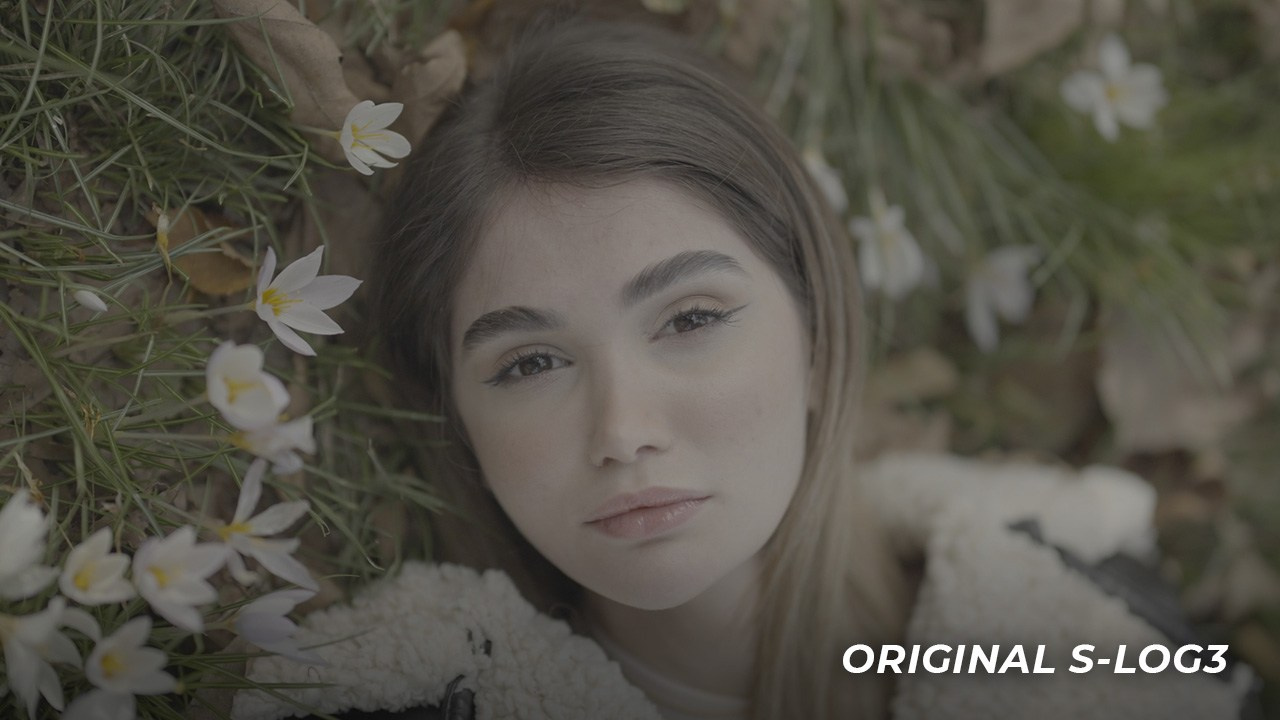
Cinematic Portrait Workflow Bundle
Designed for filmmakers, photographers, and creators who want cinematic portrait color grading in DaVinci Resolve using real Sony S-Log3 footage. This workflow focuses on skin tones, cinematic color separation, glow, halation, and natural-looking contrast for portrait, wedding, and beauty edits.
✨ What’s Included:
- Cinematic Portrait PowerGrade
- Original Sony S-Log3 Footage
- Mini Workflow Guide
- Instant ZIP Download
Get The Full Workflow — ONLY $14.99
🎬 Includes the exact Sony S-Log3 footage featured in the tutorial
🎨 Built for cinematic portrait and wedding color grading
⚡ Beginner-friendly workflow with flexibility for advanced grading
💻 Works With DaVinci Resolve
Build cinematic portrait looks in DaVinci Resolve using real Sony S-Log3 footage and a structured PowerGrade workflow. Designed for portrait, wedding, and beauty projects, this bundle gives you the flexibility to shape skin tones, color separation, contrast, glow, and halation — without relying on a one-click LUT.

LEARN CINEMATIC COLOR GRADING IN DAVINCI RESOLVE
Watch My Davinci Resolve Color Grading Tutorials And Practice With The Same S-Log3 Footage Used In My Videos.
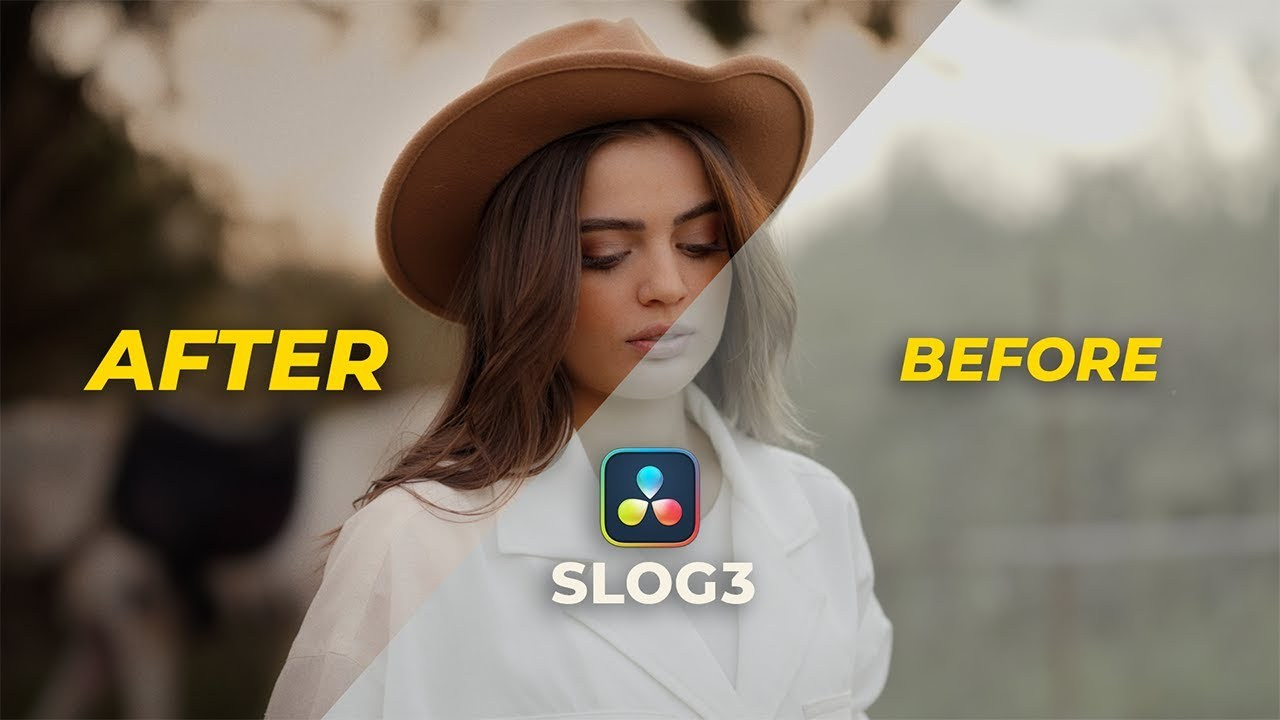
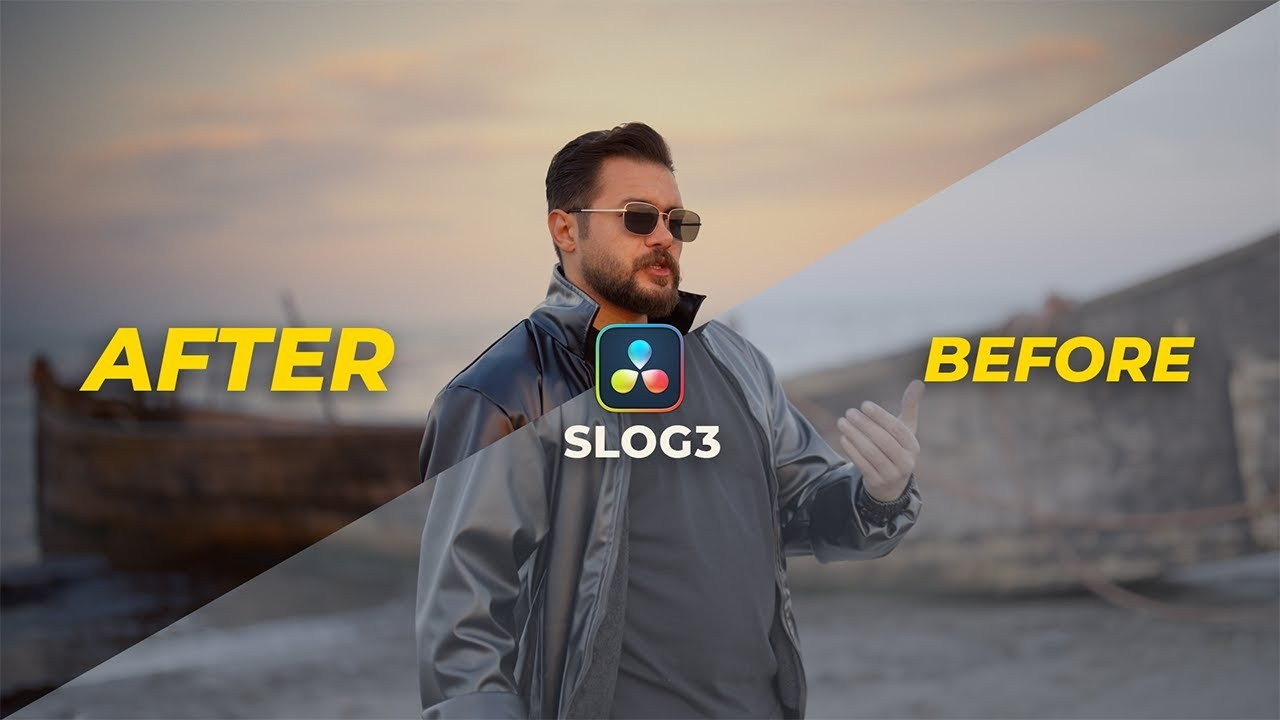
Fix Overexposed Highlights & Create a Dreamy Look
Learn how to recover overexposed highlights and create a soft, dreamy cinematic look in DaVinci Resolve while preserving natural skin tones in Sony S-Log3 footage.
Cinematic Portrait Color Grading
Learn a complete cinematic portrait color grading workflow in DaVinci Resolve using Sony S-Log3 footage, PowerGrades, skin tone adjustments, and cinematic finishing.
S-Log3 Color Grading with Depth Map
Learn how to create a cinematic S-Log3 look in DaVinci Resolve using Depth Map for subject isolation, background control, and cinematic color grading.
Individual Clips
Buy individual clips separately (Or Get the Full Bundle & Save 33%).
See the preview below.
Duration: 14 sec | Sony S-Log3 | 4K 10-bit | Individual Clip
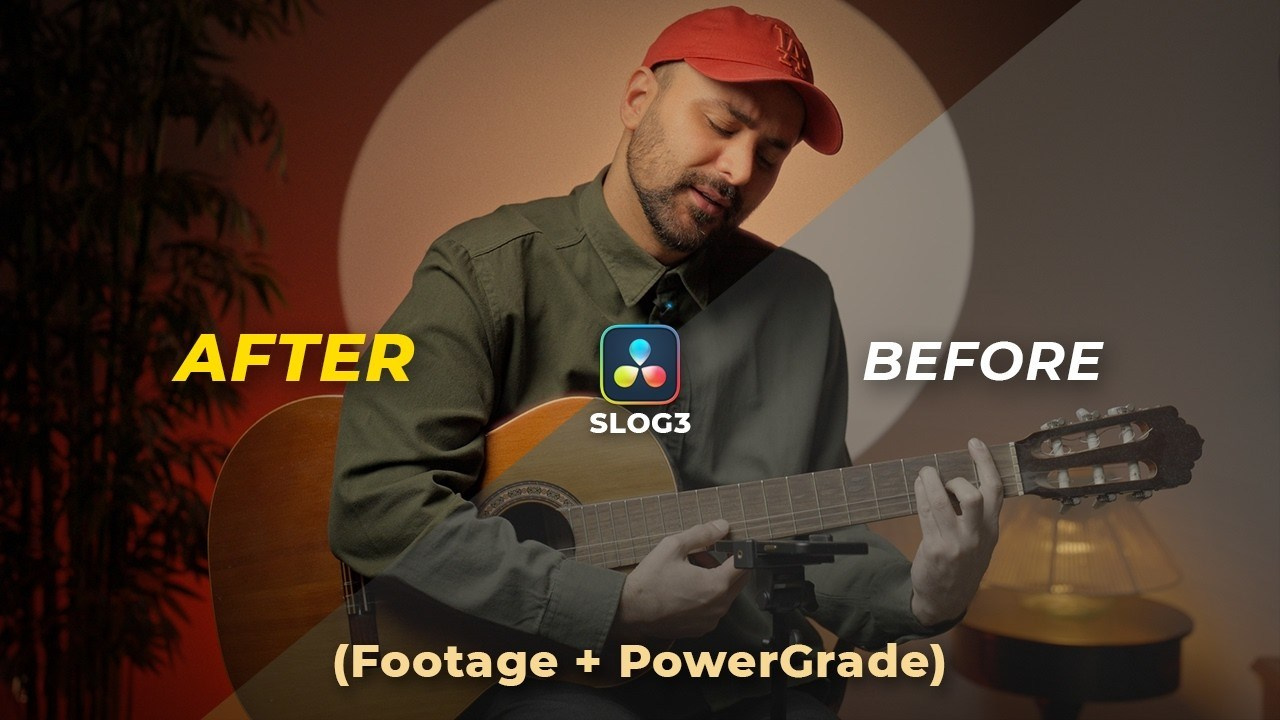
Sony S-Log3 Portrait Footage — Guitar Performance
This cinematic Sony S-Log3 portrait footage captures a warm indoor guitar performance with soft practical lighting, making it an ideal clip for practicing color grading, skin tone refinement, and cinematic look development in DaVinci Resolve.
$ 5.99
Duration: 12 sec | Sony S-Log3 | 4K 10-bit | Individual Clip
Sony S-Log3 Golden Hour Portrait Footage — Overexposed Highlights
This cinematic Sony S-Log3 portrait footage was shot during golden hour, capturing soft natural light, shallow depth of field, and intentionally overexposed highlights. It’s designed for practicing cinematic color grading, highlight recovery, exposure correction, and natural skin tones in DaVinci Resolve.
$ 5.99
Duration: 12 sec | Sony S-Log3 | 4K 10-bit | Individual Clip
Sony S-Log3 Sunset Beach Portrait Footage
This cinematic Sony S-Log3 portrait footage was shot at sunset on a beach, featuring soft natural light, warm skin tones, and a cinematic outdoor look. It’s ideal for practicing color grading, skin tone balancing, and warm sunset looks in DaVinci Resolve.
$ 5.99
Duration: 11 sec | S-Log3 Footage | 4K 10-bit | Vertical Reel | Individual Clip
Sony S-Log3 Beauty Portrait Footage — Orange & Teal
This cinematic Sony S-Log3 beauty portrait footage was captured in a controlled studio setup with soft lighting, clean skin tones, rich orange highlights, and a vibrant teal background — ideal for practicing professional beauty and commercial color grading.
The scene is designed for skin tone refinement, beauty retouching, cinematic contrast, and Orange & Teal color grading in DaVinci Resolve. It’s also a great practice clip for testing LUTs, color transforms, and stylized beauty looks.
Shot vertically in 4K at 60fps on the Sony A7IV, this clip is especially suited for beauty reels, fashion content, social media videos, commercial portraits, and vertical filmmaking workflows.
$ 5.99
Duration: 10 sec | Sony S-Log3 | 4K 10-bit | Also in S-Log3 Bundle
Sony S-Log3 Forest Portrait Footage — Natural Light
This cinematic Sony S-Log3 forest portrait footage was captured on an overcast day with soft natural light, realistic skin tones, and a deep green background. Ideal for practicing outdoor color grading, foliage control, and cinematic natural looks in DaVinci Resolve.
$ 5.99
Duration: 18 sec | Sony S-Log3 | 4K 10-bit | Also in S-Log3 Bundle
Sony S-Log3 Spring Portrait Footage — Soft Light
This cinematic S-Log3 spring portrait footage was captured in a natural outdoor setting under soft, overcast daylight, creating beautifully diffused light, clean skin tones, and elegant color separation. The vibrant spring flowers and organic background provide a versatile cinematic base for practicing natural color grading, skin tone refinement, film emulation, and creative looks in DaVinci Resolve and other professional editing workflows.
$ 5.99
Duration: 9 sec | Sony S-Log3 | 4K 10-bit | Also in S-Log3 Bundle
Sony S-Log3 Low Light Portrait Footage — Blue Hour Window Light
This cinematic S-Log3 low-light portrait footage was captured during blue hour, with soft natural light entering through a window just before sunset. The result is a calm, intimate scene with smooth shadow roll-off and subtle highlight transitions — ideal for advanced color grading practice.
A great choice for photographers, filmmakers, and colorists exploring blue hour grading, natural window light, cinematic low-light scenes, and atmospheric portrait looks.
$ 5.99
Duration: 18 sec | S-Log3 Footage | 4K 10-bit | Vertical Reel | Also in S-Log3 Bundle
Sony S-Log3 Beauty & Glamour Portrait Footage — Studio Lighting
This professional Sony S-Log3 beauty and glamour portrait footage was captured in a controlled studio environment using a softbox and reflector setup, creating smooth, flattering skin tones, soft shadow transitions, and clean highlight roll-off.
The vertical composition and vibrant yellow backdrop give the footage a polished editorial feel, making it suitable for cinematic beauty, fashion, and commercial-style color grading workflows.
With its balanced exposure and detailed 4K 10-bit S-Log3 image, this portrait clip gives colorists plenty of flexibility for experimenting with skin tone refinement, contrast shaping, highlight control, film emulation, and stylized color looks. Ideal for practicing professional grading techniques in DaVinci Resolve or Adobe Premiere Pro.
$ 5.99
Duration: 12 sec | Sony S-Log3 | 4K 10-bit | Also in S-Log3 Bundle
Sony S-Log3 Beauty Footage — RGB Studio Lighting
This premium Sony S-Log3 beauty and glamour portrait footage was captured in a professional studio environment with a softbox and reflector setup, delivering smooth skin tones, soft contrast, and clean highlight roll-off. A vibrant RGB background adds a bold, modern color contrast to the portrait, making this clip ideal for beauty color grading, creative color separation, skin tone refinement, and polished commercial or editorial looks.
$ 5.99
Free S-Log3 Footage For Color Grading Practice
Download free S-Log3 and ungraded log footage for cinematic color grading practice. Practice DaVinci Resolve workflows with real-world Sony footage from my tutorials.
Duration: 9 sec | Free Sony Slog3 Sample Footage | 4K 10-bit
Free Sony S-Log3 Portrait Footage for Color Grading | Natural Light
Download this free Sony S-Log3 portrait footage for cinematic color grading practice. Shot on the Sony A7IV in soft overcast natural light, this 9-second clip features gentle contrast, natural skin tones, and a flexible log image for developing cinematic portrait looks.
Use this real-world 4K 10-bit S-Log3 footage to practice exposure, white balance, skin tone correction, highlight control, LUT testing, and cinematic color grading in DaVinci Resolve, Premiere Pro, or other professional editing software.
🎁 Try This Free S-Log3 Footage!
Duration: 12 sec | Free Sony Slog3 Sample Footage | 4K 10-bit
Free S-Log3 Dog Footage for Color Grading | Overcast Natural Light
Download this free Sony S-Log3 dog footage for color grading practice. Shot on an overcast day, this 12-second clip features soft, diffused natural light, subtle contrast, and a calm cinematic mood—making it ideal for practicing color balance, tonal control, and cinematic grading in DaVinci Resolve.
Unlike high-contrast or heavily stylized footage, this clip gives you a flat, low-contrast S-Log3 starting point to experiment with exposure, color balance, mood, and cinematic depth. It’s a practical way to test your color grading workflow using real-world Sony footage.
🎁 Try This Free S-Log3 Footage!
Sony S-Log3 Footage &
DaVinci Resolve Color Grading FAQ
Find answers about free Sony S-Log3 footage, 4K 10-bit practice clips, DaVinci Resolve PowerGrades, cinematic color grading workflows, licensing, and digital downloads.
1. What format is the Sony S-Log3 practice footage, and which cameras were used?
The collection features real Sony S-Log3 footage, primarily recorded in 4K 10-bit on the Sony A7 IV. The CCGW 2.0 package includes Sony A7 V 4K50 10-bit practice footage. These are original Log video clips, not RAW files or pre-graded stock footage.
2. Are these real Sony S-Log3 footage clips or just sample files?
All footage is authentic, camera-original Sony S-Log3 video recorded during real-world filmmaking and portrait shoots—not simulated Log footage or artificially generated samples. The free clips are genuine samples from the collection, provided so you can test the quality and practice color grading before purchasing a full footage pack.
3. What is S-Log3 footage, and why is it useful for color grading?
Sony S-Log3 is a logarithmic picture profile designed to retain tonal information and provide flexibility in post-production. Its flat starting image makes it ideal for learning exposure correction, contrast, skin tone grading, highlight control, Color Space Transform (CST), and cinematic color grading.
4. Where can I download free Sony S-Log3 footage for color grading practice?
You can download free 4K 10-bit Sony S-Log3 sample footage directly from this store. The free clips feature real-world lighting and are ideal for testing LUTs, exploring DaVinci Resolve workflows, and practicing cinematic looks before purchasing a footage pack.
5. Can beginners use these Log footage clips in DaVinci Resolve or Premiere Pro?
Absolutely! The footage is suitable for beginners and experienced colorists using DaVinci Resolve, Adobe Premiere Pro, Final Cut Pro, or other compatible video editing software. You can start with basic color correction or explore advanced node-based grading and film emulation.
6. What color grading techniques can I practice with these clips?
The footage is designed for realistic grading exercises, including exposure and white balance correction, natural skin tones, recoverable highlight detail, cinematic contrast, color separation, shot matching, LUT testing, and creative film looks across different lighting conditions.
7. Should I choose individual S-Log3 clips or the 5-Clip Bundle? Are LUTs included?
Individual clips are ideal for practicing a specific scene or lighting condition. The 5-Clip S-Log3 Bundle offers five varied cinematic clips at a better combined price. Footage-only products do not include LUTs; editable PowerGrades and guided grading workflows are available separately.
8. Can I publish edited S-Log3 footage on Instagram, YouTube, or my professional portfolio?
Yes! You may publish finished color-graded edits, before-and-after comparisons, cinematic reels, and grading breakdowns on Instagram, TikTok, YouTube, Vimeo, your website, and professional portfolios. This includes educational content and organic posts showcasing your editing or color-grading skills.
9. Is attribution required, and can I freely edit or keep my portfolio videos online?
Attribution is optional but appreciated. Suggested credit: “Original footage by Mehran Hadad — mehranhadad.com”. You may crop, reframe, color grade, add sound, titles, effects, and composites. There is no specific duration limit for permitted finished portfolio edits, and compliant published posts may remain online indefinitely.
10. Can I use the footage to promote freelance services, in monetized videos, paid ads, or client projects?
Organic portfolio posts promoting your editing or color-grading services are allowed, including on monetized creator channels. However, paid advertising campaigns, sponsored social media ads, and commercial video deliverables produced for paying clients require separate written permission or a commercial license.
11. Are free and paid footage licenses different? Can I share or resell the files?
The same standard usage restrictions apply to free samples and purchased S-Log3 footage. You may create and publish permitted finished edits, but you may not redistribute, resell, sublicense, or provide the original source files for others to download or reuse. Purchasing a clip does not transfer copyright ownership or grant unrestricted commercial usage rights.
12. What is a DaVinci Resolve PowerGrade, and how is it different from a LUT?
A PowerGrade is a reusable, fully editable node-based color grading structure in DaVinci Resolve. Unlike a one-click LUT, it lets you inspect and customize individual adjustments for exposure, white balance, contrast, skin tones, creative grading, and film finishing. The workflows can be adapted to your own footage.
13. What is included in Cinematic Color Grading Workflow 2.0 (CCGW 2.0)?
CCGW 2.0 includes three editable PowerGrades—Clean Base, Kodak 2383, and Moody Forest Full Example Grade—plus Sony A7 V 4K50 10-bit S-Log3 practice footage, a final graded reference clip, and an 8-minute Quick Start video training. It’s a complete guided workflow for practicing cinematic color grading in DaVinci Resolve.
14. What’s the difference between the three CCGW 2.0 PowerGrades?
Clean Base provides a neutral Rec.709 grading structure. Kodak 2383 adds a film-print finishing pipeline for a cinematic film-inspired look. Moody Forest is a completed example grade that you can study node by node to understand the creative grading process.
15. Can I use CCGW 2.0 with my own footage or other camera Log formats?
Yes. CCGW 2.0 uses DaVinci Wide Gamut / Intermediate and is preconfigured for Sony S-Log3 / S-Gamut3.Cine. You can adapt it to other supported Log formats by changing the Input Color Space Transform (CST), then adjusting exposure, white balance, contrast, and creative settings to match your footage.
16. What is included in the Cinematic Portrait Workflow Bundle?
The Cinematic Portrait Workflow Bundle includes an editable DaVinci Resolve PowerGrade, the original Sony S-Log3 portrait footage used in the tutorial, and a mini workflow guide. It’s designed for cinematic portrait, wedding, beauty, skin tone correction, glow, halation, and natural film-inspired grading. The PowerGrade can also be adapted to other suitable footage.
17. Do I need DaVinci Resolve Studio or additional plugins to use these PowerGrades?
Not necessarily! Most of the nodes and essential color grading tools used in CCGW 2.0—including Color Space Transform (CST), exposure adjustments, color wheels, curves, and contrast controls—are available in the free version of DaVinci Resolve. However, some advanced finishing effects may require DaVinci Resolve Studio. CCGW 2.0 was developed and tested in DaVinci Resolve Studio 21 for the complete experience. No third-party plugins or additional LUT purchases are required.
18. How do I access my digital purchases, redownload files, or get support?
After purchasing a digital product, you’ll receive access to your downloadable files. Selected products, including CCGW 2.0 and the 5-Clip S-Log3 Bundle, have dedicated download pages secured with email verification (OTP), allowing you to return and download your files again whenever needed. If you need help with downloads, importing footage, or using PowerGrades in DaVinci Resolve, feel free to contact me for assistance.
Still Have Questions?
Have questions about the S-Log3 footage, bundle access, or cinematic color grading workflow? Feel free to send a message and I’ll get back to you as soon as possible.